In the previous section, we covered how to build an interface using the Dialog Creator. But once a viewer enters their information—like their age—where does that data go, and how do you use it to change the video experience?
Player Parameters: The Brain of the Session
When a viewer submits a dialog, the answers are stored as Player Parameters.
- Temporary Storage: These values live only for the duration of the viewing session.
- Privacy First: Idomoo does not save this data on its servers. The data is lost if the player is closed.
- Live Logic: Because these parameters are stored locally, you can use them to make "on-the-fly" decisions.
Driving Logic with "Additional Actions"
The most powerful way to use this data is through conditional logic within a Player Action. This allows the video to branch or skip scenes based on the viewer's input.
Example: Branching by Age
Imagine you’ve collected a viewer's age using a parameter named Age. You want to show different content to viewers over 50.
- Open Player Action: Add a Player Action at the start of a scene.
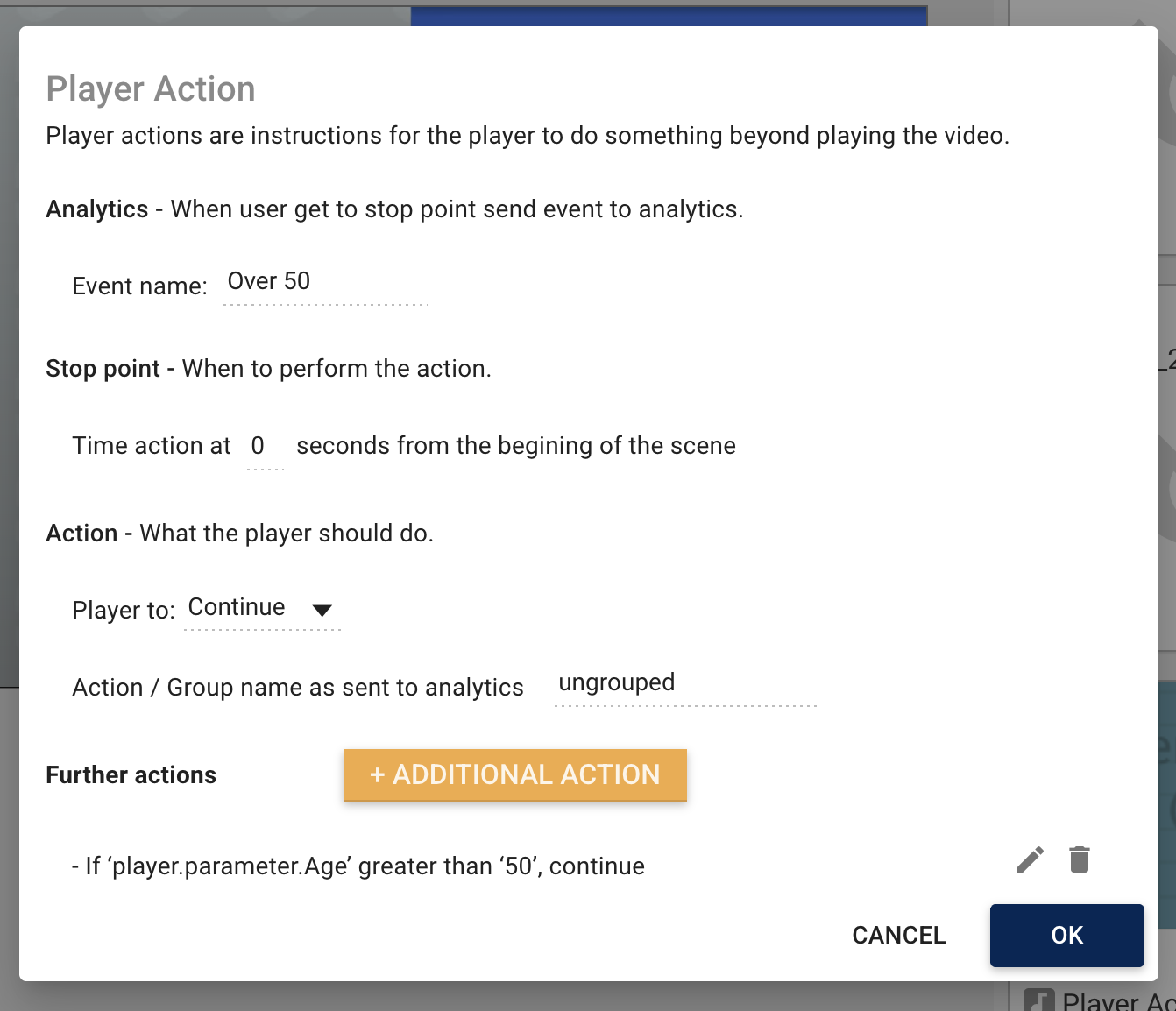
- Add Logic: Click the + ADDITIONAL ACTION button.
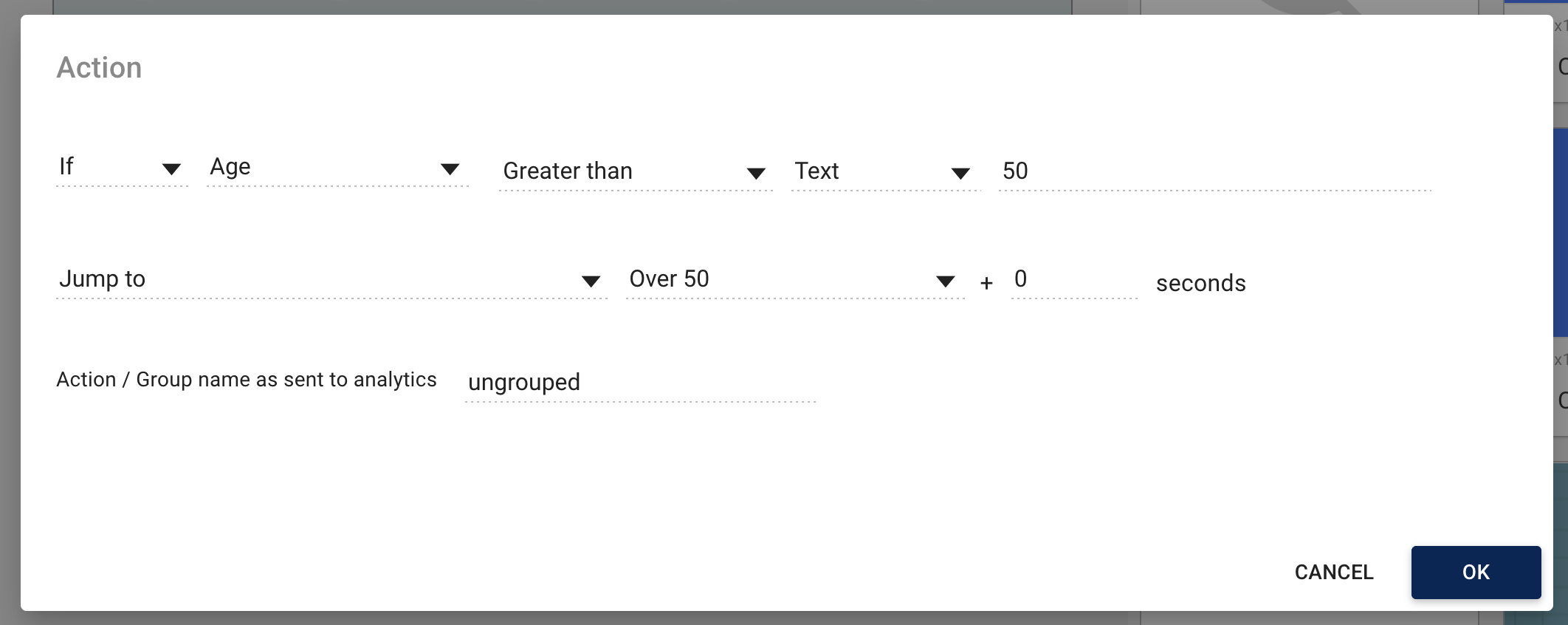
- Set the Condition: * Change the dropdown to "If".
- Select your parameter (Age).
- Choose the operator (Greater than) and the value (50).
- Define the Result: In the "Jump to" dropdown, select the scene "Over 50".
Managing Complex Rules
You can stack multiple rules within a single scene to handle different outcomes. For instance, you can tell the player to "Continue" if the age is over 50, but "Jump" if it is below.
Summary of Resulting Actions
Once a condition is met, you can trigger several responses:
- Jump to: Skip ahead to a specific scene.
- Continue: Allow the video to play normally.
- Open Link: Direct the user to a URL based on their answer.
- External Events: Send the collected data to analytics.
Video Walkthrough: From Collection to Action
Watch the video below to see the full flow: creating the Dialog, setting the Player Action, and defining the branching logic.