The Team page in Settings lets you see everyone with access to your account, invite new members, and manage who can work in it.
Accessing the Team Page
Location: Settings > Team
The Team page shows all users with access to your account.
Inviting a Team Member
- Enter the person's email address in the Invite a Team Member field.
- Click Send Invitation.
The invited person receives an email with an "Accept invitation" link. The invitation is valid for 7 days. Their row appears in the list with a Pending status.
When they click the link, they'll sign up or log in and land directly on your account.
Note: You can't invite an email that already has access to your account, or your own email.
Managing Invitations
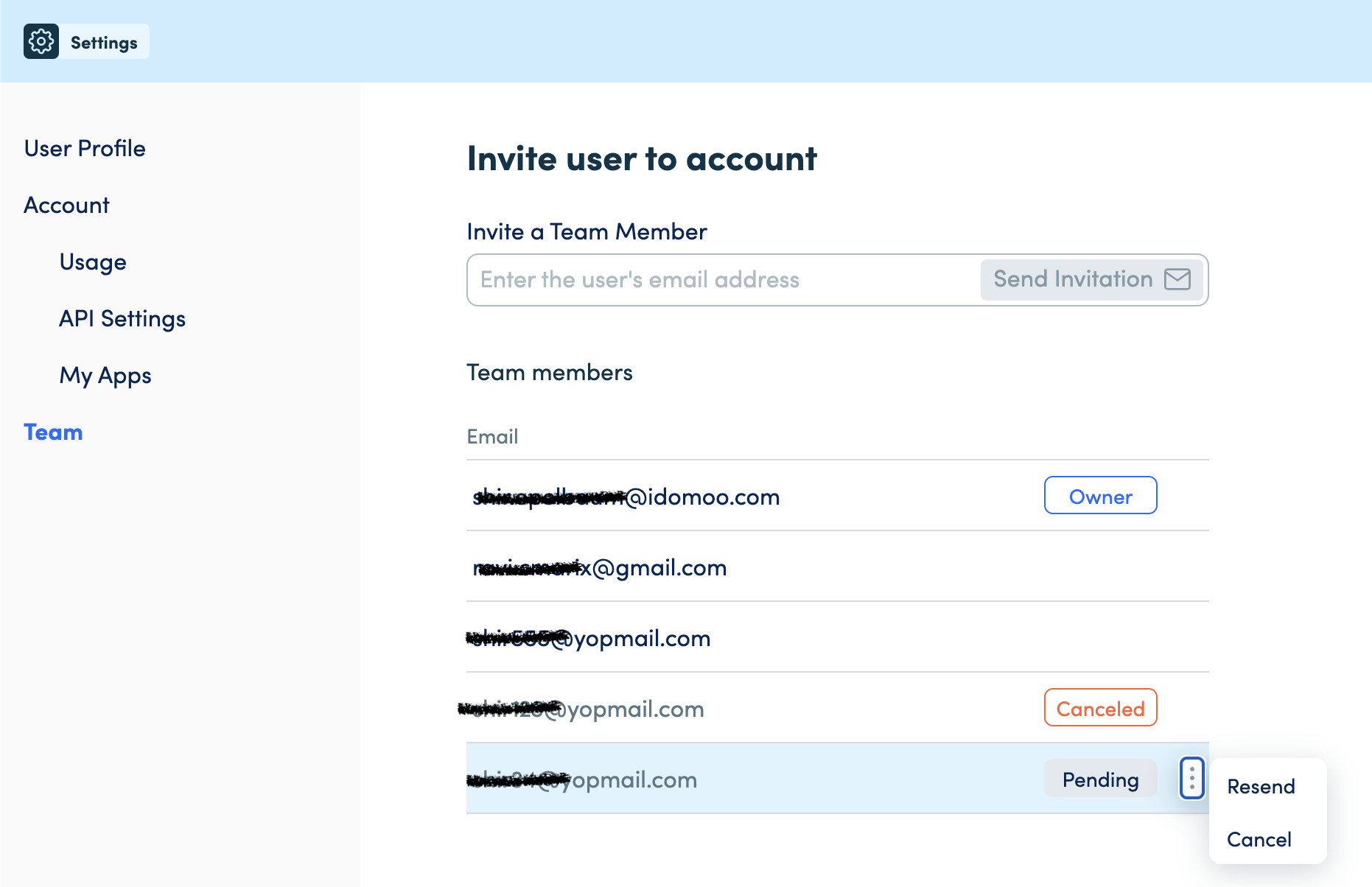
Each invite row shows the email and current status. Available actions depend on the status:
| Status | Available actions |
|---|---|
| Pending | Resend, Cancel |
| Expired | Resend |
| Canceled | Resend |
| Accepted | None |
Resend sends a new invitation email and resets the 7-day expiry. The previous link stops working.
Cancel invalidates the link immediately. The row stays visible with a Canceled status.
Removing a User
- Find the user's row in the Team members list.
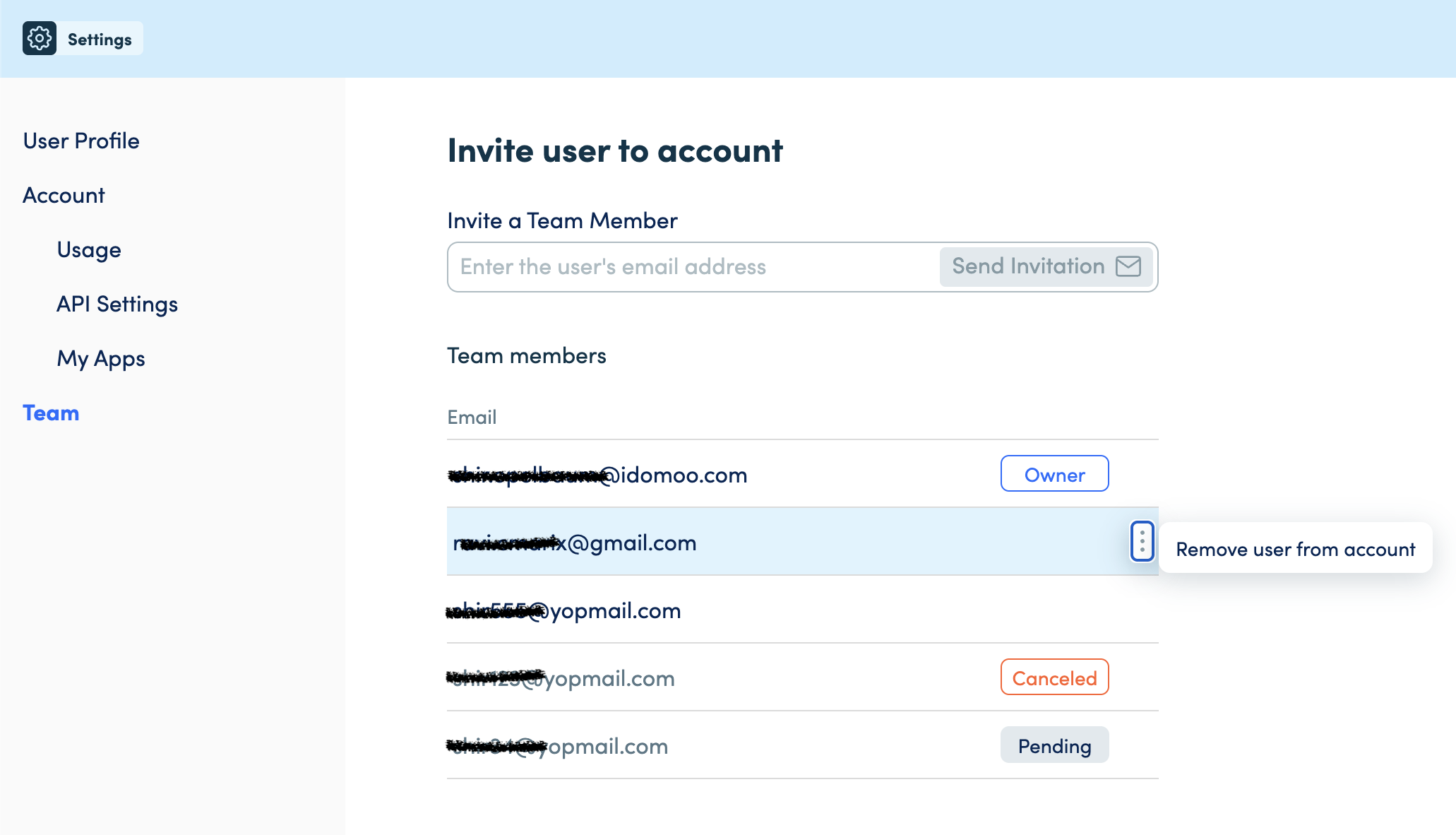
- Click the ⋮ menu on their row.
- Select Remove user from account.
- Confirm in the dialog — click Remove to proceed or Cancel to close without changes.
The user is removed immediately. Their row disappears from the list without a page reload.
Note: You cannot remove yourself or the account owner from this page.
Common Questions
Q: Why can't I see the ⋮ menu on some rows?
A: The ⋮ menu is hidden on your own row and the account owner's row. Invite rows that haven't been accepted yet (Pending, Expired, Canceled) show Resend/Cancel options instead. Accepted users appear as active members and can be removed via the ⋮ menu.
Q: Can all team members remove users, or only the account owner?
A: Remove permissions depend on the user's role. The account owner can remove any team member. Other team members can remove other users, but not the owner or themselves.
Q: Can a removed user rejoin the account?
A: Yes — an account owner or admin can re-invite them using the invite flow.